Steps for updating erpnext having code changes
[1] Take backup of Source A
- $ bench backup <-- DB backup
- $ bench backup --with-files <-- Site files changes
- Note "db_name" from site_config.json
- Note exact versions : ERPNext: v10.0.7(aminquickrepair) <--our custom changes on top of master and Frappe Framework: v10.0.8 (master)
- Note the # of files changed on aminquickrepair branch
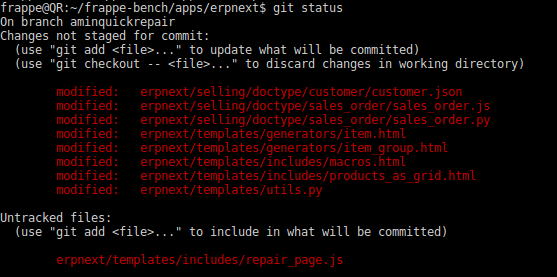
[2]Create a new server with exact ERPNext version.
- You may use easy install to get latest master. link
- git status gives all files as changed due to chmod issue. So use $ git config core.filemode false
- Inside app folders do $ git checkout tags/v10.0.7
[3]Restore DB and site files- Now upload backup files. SQL file inside frappe-bench folder and sites file inside sites folder.
- Unzip SQL file and restore it. $ gunzip

- $ mysql -u root -p "db_name" < 20180223_104515-site1_local-database.sql
- Note the db_name is important. It has to be as per destination site_config-->db_name. It is okay if your source site and db name is NOT matching destination
- When prompted give mysql root password

- Restore file to same site as source A i.e. site1.local


[4]Bump master to latest version- Now we have exact app versions as Source A with data but without custom code file changes.
- Do $ bench update. This will bump master to latest version
[5]Setup git and pull changes from our custom branch "aminquickrepair"
- $ git checkout -b aminquickrepair --track greycube/aminquickrepair
- $ git pull greycube aminquickrepair
- if there are merge conflicts, one needs to do manual merge
Restore from backup
bench --site master1.local --force restore /home/ashish/Downloads/20180521164312-site1local-database.sql
bench --site master1.local migrate
bench --site master1.local set-admin-password <password>