Purchase Expense Booking Process
To maintain accurate stock quantities in ERPNext while correctly booking expenses in accounts.
Use Case
This process is used when :
- Inventory (Consumables) quantity needs to be tracked
- Expense needs to be booked immediately after purchase.
- Stock valuation impact is not required, or expenses should not be delayed until the time of consumption.
Detailed Steps
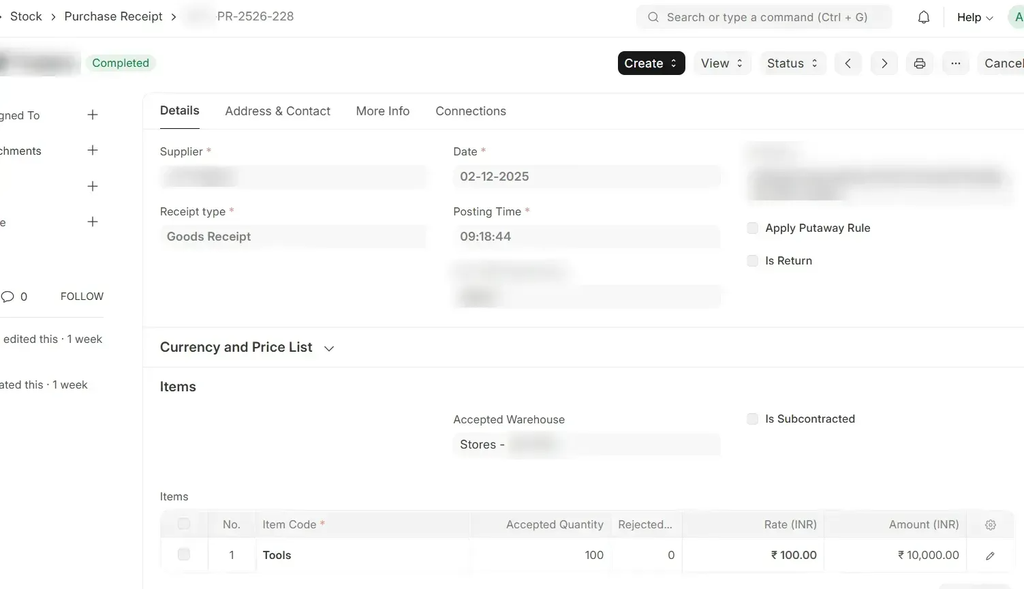
Create a Purchase Receipt (consumable items) and the stock will updated as usual.
 Stock ledger:

Stock Reconciliation:
- Select item and warehosue, Set Valuation Rate = 0 and Select difference expense account.
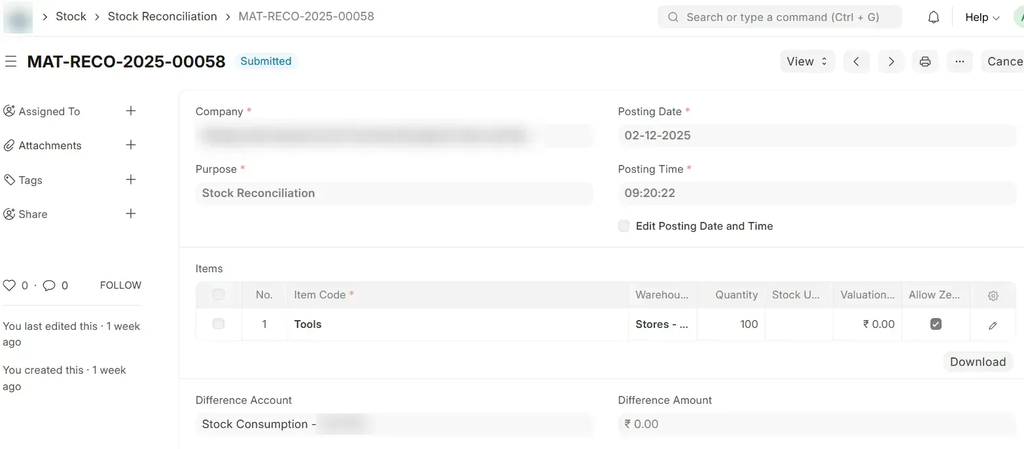
- Save and Submit.
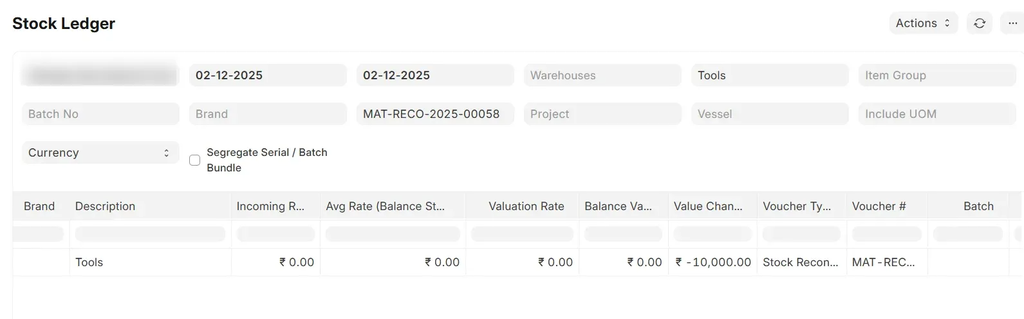
Stock Entry after stock reconciliation:
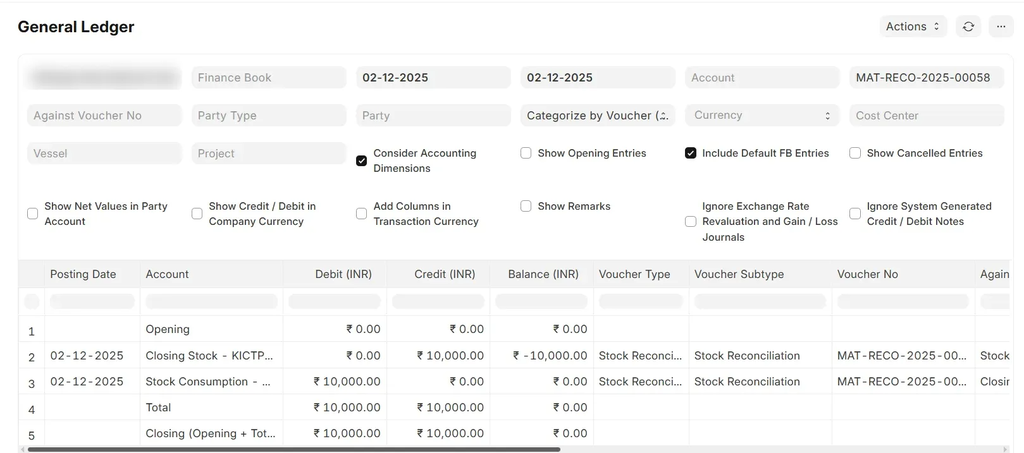
 General Ledger:
- Select item and warehosue, Set Valuation Rate = 0 and Select difference expense account.
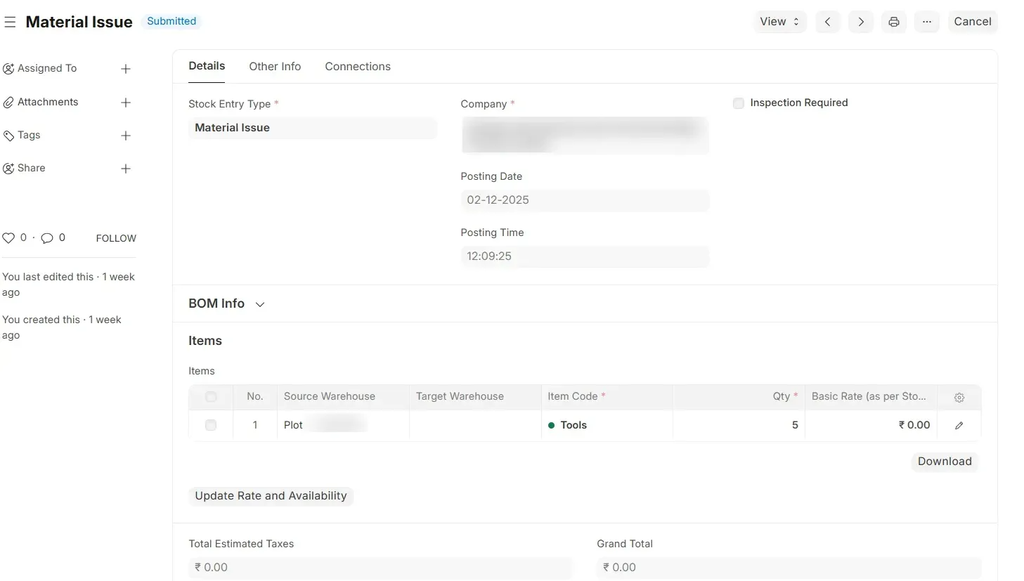
Material Issue entry:
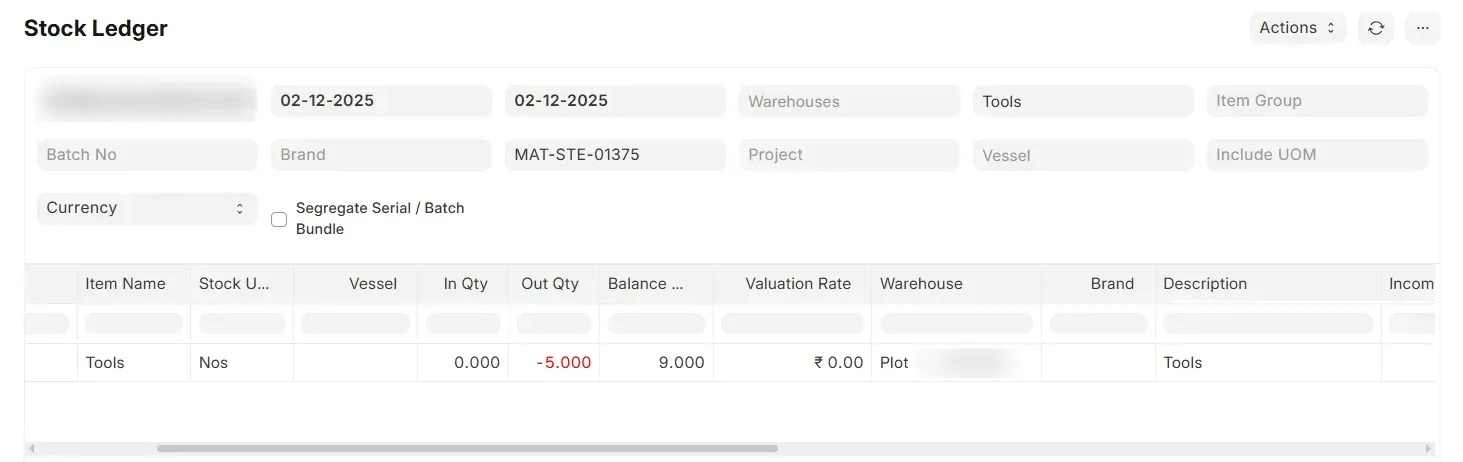
 Stock ledger:
Reports
- Stock Balance Report
- Stock Ledger
- General Ledger
Outcome:
- Stock quantity is updated
- Proper expense booking in accounts
- No inventory valuation impact
- Alignment between stock and financial records
Key Notes
- Zero valuation is recommended only for expense tracking, not for inventory valuation
- Ensure correct expense account mapping.
Conclusion
This process ensures inventory control without impacting valuation when only quantity tracking is required.